Configure PLASMA
Everything on the Configuration tab is saved to
<home>/plasma_device_config.json. You can also import / export that file to
move a setup between machines.
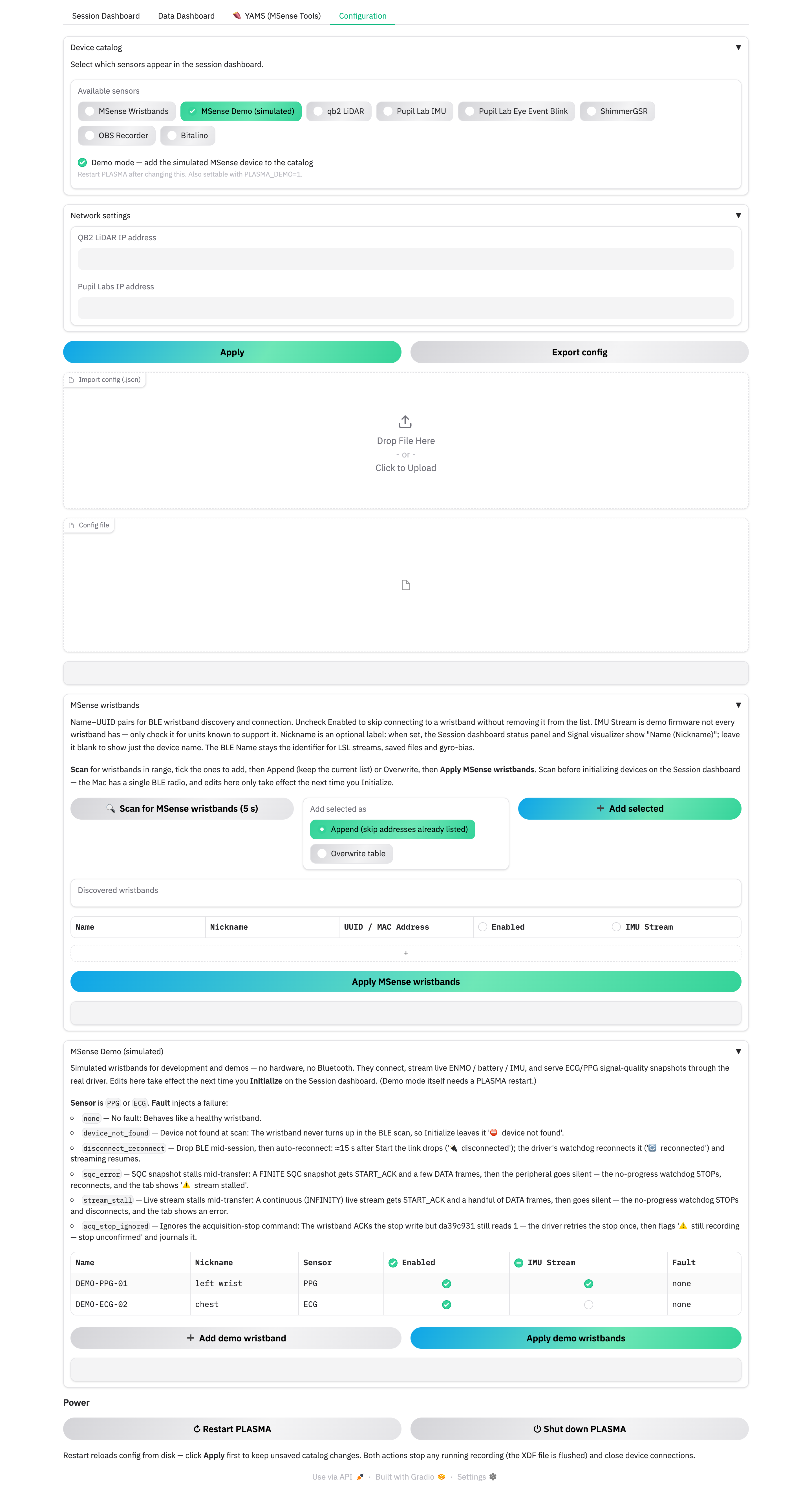
Device catalog
Available sensors is the master list of device types. Tick the ones this study uses; only ticked types appear in the Select sensor(s) picker on the Session Dashboard. Click Apply to save, then Refresh list on the dashboard to pick up the change.
Default-enabled after a fresh install: qb2 LiDAR, Pupil Lab IMU, Pupil Lab Eye Event Blink, ShimmerGSR, OBS Recorder, and MSense Wristbands. Bitalino is off by default (it needs PyBluez).
Apply messages
"Saved — N device type(s) enabled" confirms the write. If demo mode is on it adds "— restart PLASMA to load the simulated device".
Network settings
- QB2 LiDAR IP address and Pupil Labs IP address — the addresses those devices listen on. Leave blank if you're not using them.
Import / export
- Export config downloads the current settings as JSON.
- Import config (.json) loads one back — unknown device names are skipped and reported. Per-plugin sections (MSense pairing, demo wristbands) re-render with the imported values the next time you open the Configuration tab.
Demo mode
"Demo mode — add the simulated MSense device to the catalog" adds a hardware-free MSense wristband ("MSense Demo (simulated)") you can connect, stream, and run signal-quality checks against with no Bluetooth. It's how every screenshot in this playbook was made.
Demo mode is restart-gated — tick it, click Apply, then use the Power
section to restart. You can also set PLASMA_DEMO=1 in the environment (that
can't be turned off from the UI). Once enabled, you still have to tick "MSense
Demo (simulated)" in the catalog. See
Abnormal handling for the per-wristband fault injection
the demo device supports.
Power
At the bottom of the tab:
- ↻ Restart PLASMA — relaunches with the config on disk. This is the intended way to apply a demo-mode or catalog change. Click Apply first to keep unsaved edits.
- ⏻ Shut down PLASMA — clean exit.
Both are two-click: the first click arms the button ("Click again to confirm", auto-cancels after ~4 s), the second fires it. Both flush any running recording (the XDF is finalised) and close device connections before exiting.
Next: Pair MSense wristbands.