Run a session
The Session Dashboard is the recording console. Left column: what to record. Right column: run controls, the journaler, and the live memo.
1 · Session info
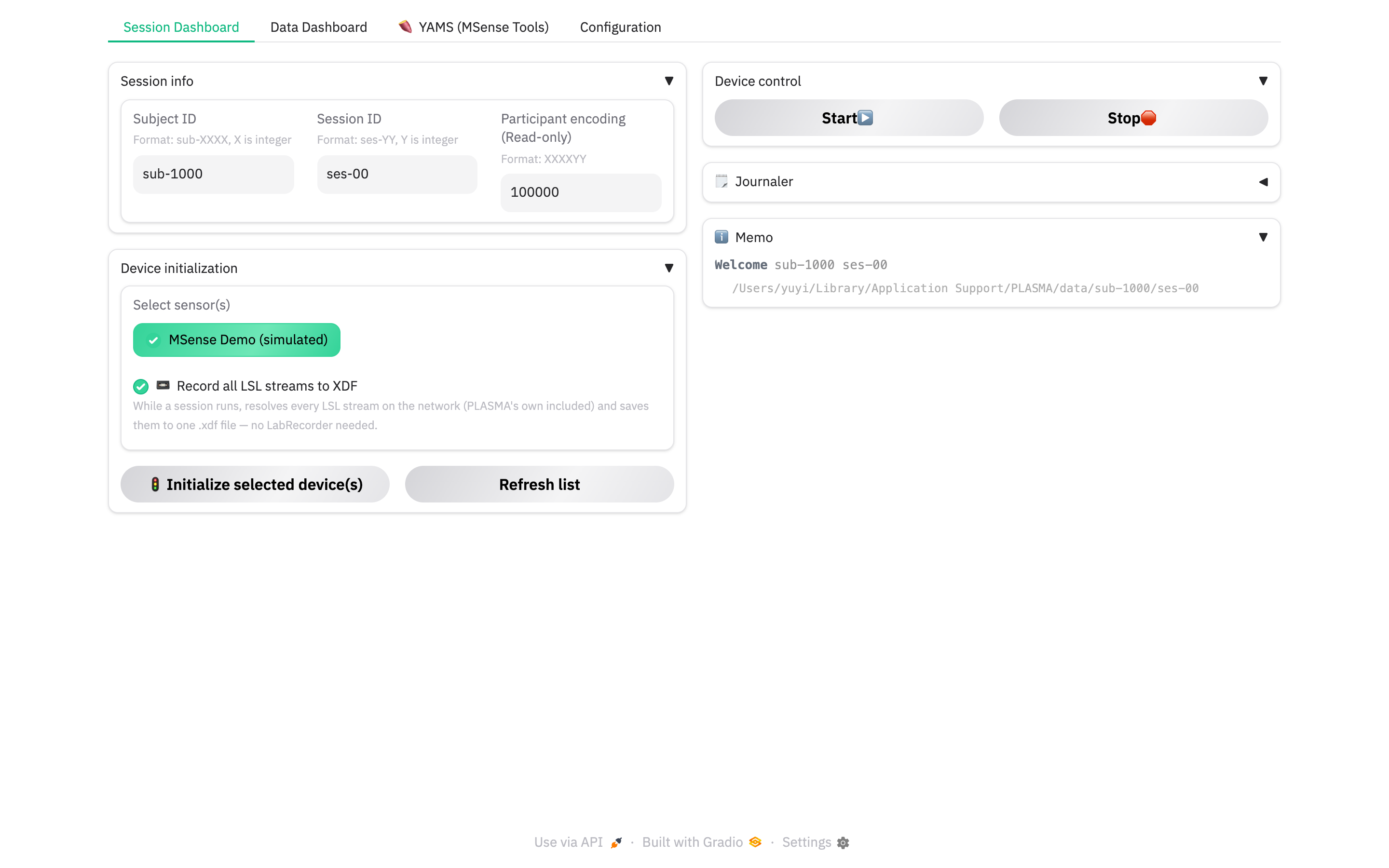
- Subject ID — format
sub-XXXX(X integer). - Session ID — format
ses-YY. - Participant encoding (read-only) —
XXXXYY, computed from the two IDs. It is written into the wristbands and into every output path, so set the IDs before you Start. Editing them later is fine — PLASMA re-applies the new identity at Start.
2 · Device initialization
- Select sensor(s) — the device types to use this run (from the Configuration catalog).
- 📼 Record all LSL streams to XDF — leave on. While the session runs, the
built-in recorder resolves every LSL stream on the machine — PLASMA's own
outlets and anything else — and writes them to one
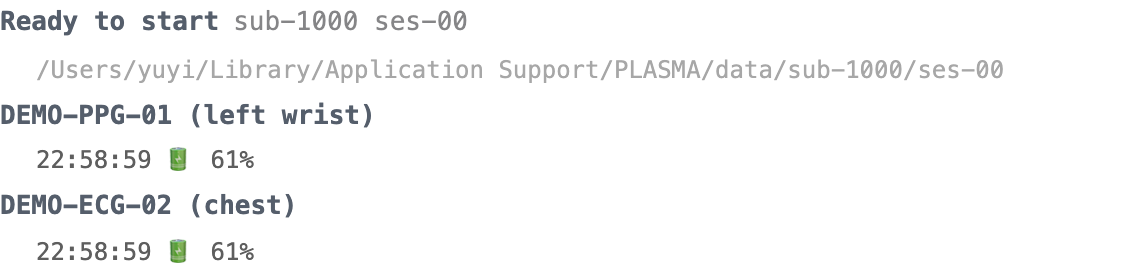
.xdffile. No LabRecorder needed. - 🚦 Initialize selected device(s) — connects each device and announces its streams. Do this after any BLE scanning on the Configuration tab. The memo header changes to "Ready to start" and a row appears per device.
3 · Start
Press Start ▶️. PLASMA:
- creates the session folder
<home>/data/<sub>/<ses>/<enc>_<YYMMDD_HHMMSS>/, - tells every device to start,
- spins up the XDF recorder.
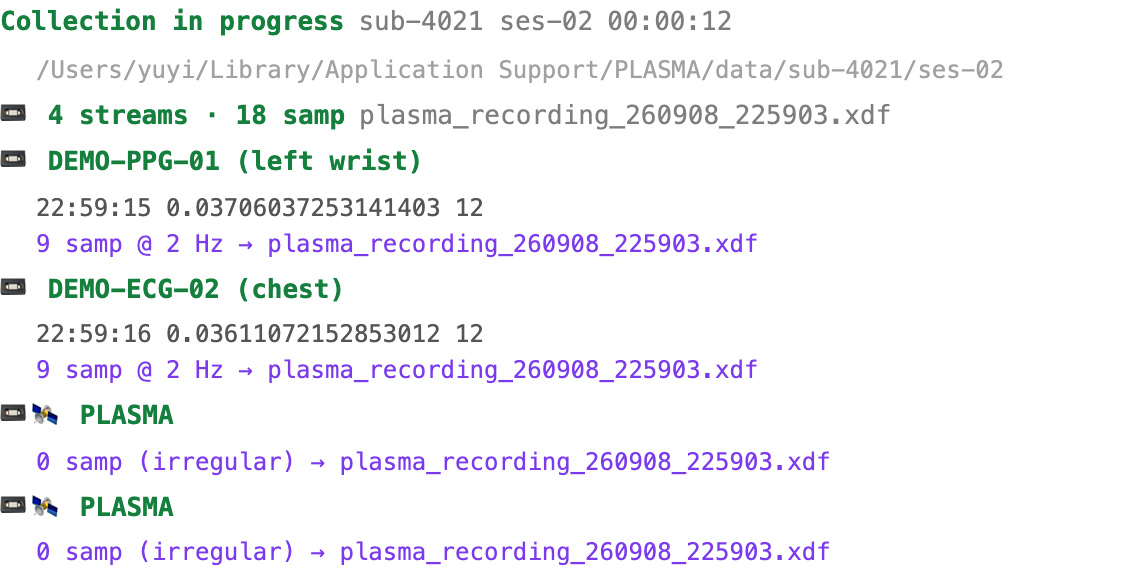
The memo header becomes "Collection in progress" with a running
HH:MM:SS clock, and each device row turns green with a live latest-value and
a 📼 N samp @ X Hz → …xdf recording line.
4 · Journaler
Open the 🗒️ Journaler accordion to drop timestamped markers onto a
dedicated LSL stream that is recorded alongside the sensors (so they land in the
.xdf too).
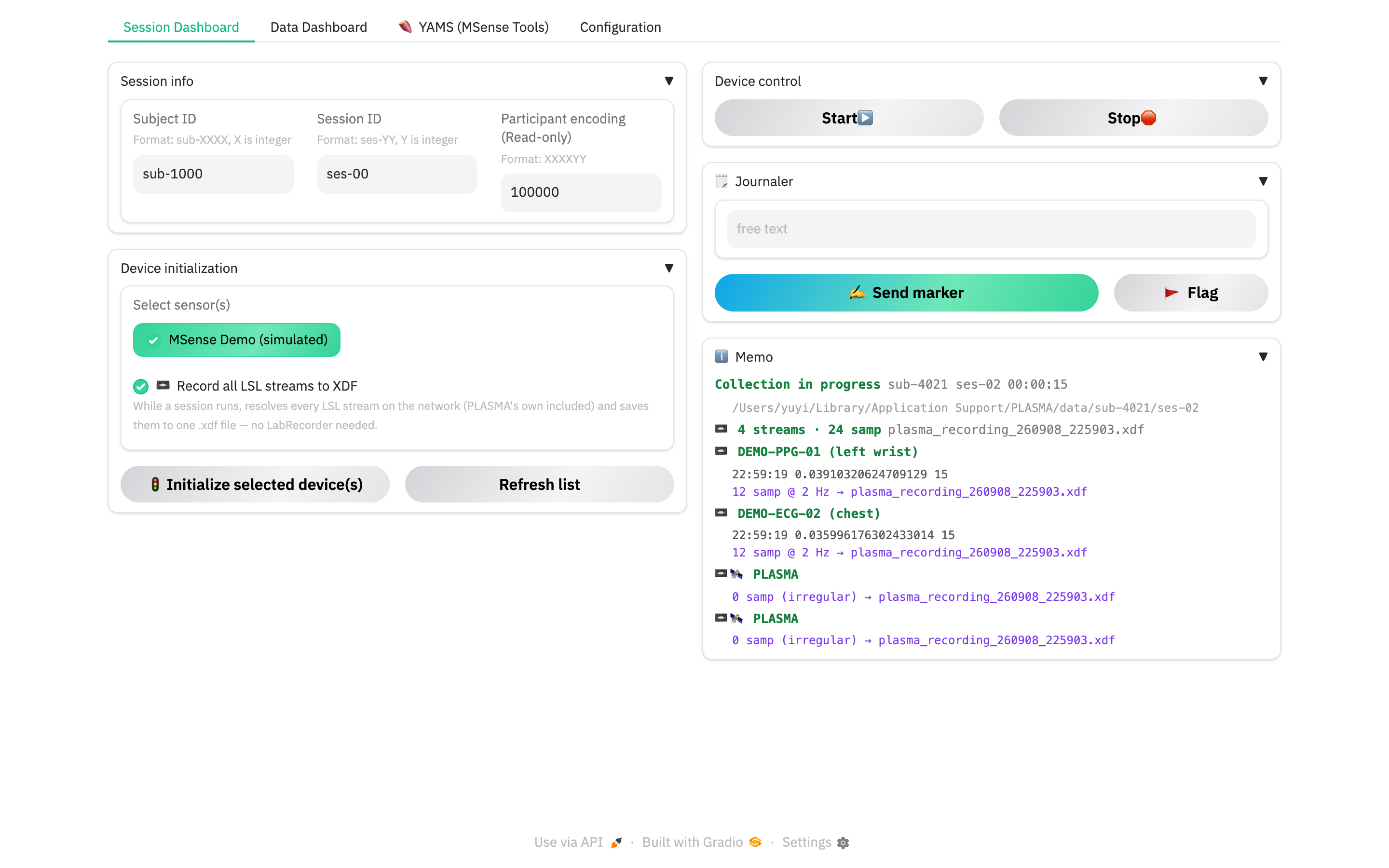
- Marker text + ✍️ Send marker — a free-text event ("subject seated", "block 2 start").
- 🚩 Flag — a one-click
[FLAG]marker for "something happened here, note it later".
These controls are in the Manual markers sub-tab. For a timed protocol,
choose Task sequence and drop in a CSV (or use the file picker). Required
columns are Condition (task name), Move_Instruction (displayed instruction),
and load (duration in seconds). Rows run in file order, including repeated
task names. The countdown displays minutes and seconds; for example, 605 seconds
is 10:05. Literal \n in instructions displays as a line break.
Start collection before starting tasks if you want their markers saved to XDF.
Start task begins the selected row and sends [TASK] start on the existing
PLASMA journal stream, using Condition for TASK. SPACE also starts a ready task
when its controls are visible and focus is outside a text field or other control.
End task or reaching 00:00 sends [TASK] end once. Completion continues
even when you switch tabs; it waits for you to advance and start the next row.
Previous and Next end a running task and prepare the adjacent row with its full duration. Replacing or clearing the upload also ends a running task; an invalid upload leaves the current sequence intact. Stopping collection ends the running task before the recorder flushes. All connected viewers share the sequence for the acquisition session. If the journal LSL stream is unavailable, the task controls show an error and starting is disabled.
For a compact running view, open the Focus tab beside Session Dashboard. It places the countdown, task instructions, and Previous/Next/Start/End controls beside Memo. Upload the CSV in Journaler first; both views control the same sequence and send markers through the same LSL outlet. SPACE works in either visible task view. Only the selected top-level view refreshes, and switching back updates its task and Memo immediately. Long Memo lists scroll inside the Focus panel so the countdown and controls stay visible.
The expiry buzzer is always enabled in both task views. Test buzzer plays two short tones without changing the task or sending a marker. Start task, SPACE, or Test buzzer enables browser audio. Natural expiry plays the tones once; End task, navigation, stopping collection, and CSV replacement are silent. Switching tabs does not replay the sound. If the browser blocks audio, click Test buzzer as prompted. Browser suspension can delay sound; the task end marker is sent independently.
5 · Stop
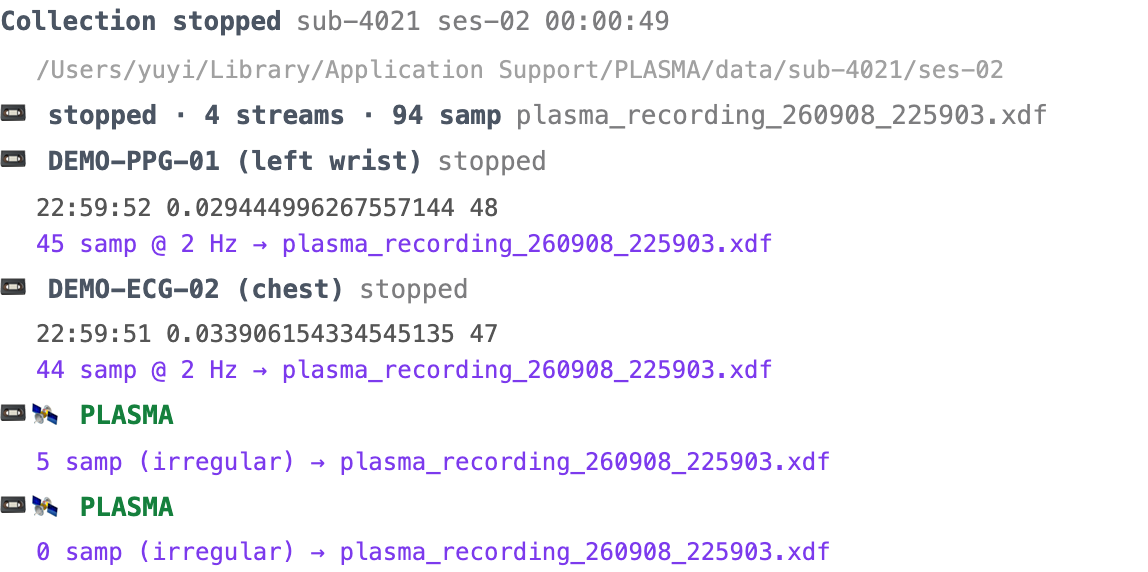
Press Stop 🛑. Every device is told to stop, the recorder flushes and
finalises the .xdf, and the memo header becomes "Collection stopped". A
device reporting "stopped" is now expected — its row goes neutral, not red.
Where the data is
<home>/data/<sub>/<ses>/<enc>_<YYMMDD_HHMMSS>/
├── plasma_recording_<YYMMDD_HHMMSS>.xdf   # every stream, one file
├── events.jsonl                           # this session's fault history
└── msense/                                # MSense .txt dumps, SQC snapshots
Full layout and the daily session log: Files & paths.
6 · Review
Watch the memo through the run and check it at the end. Any row that ends amber or red is telling you something — the memo engine page explains the colours, and abnormal handling is the fix-it runbook.
Next: Signal-quality checks.